
Kuca.ai
Loading
Bottle Kick Challenge AI
01Person or pet photo
Person or pet photo0/1
Aspect ratio
8s
100Credits
Remaining credits:
Public

Bottle Kick Challenge AI: big confidence, one very sore foot

A serious stance, a dramatic kick toward a water bottle, then a sudden change of mood when the performer grabs a foot. Bottle Kick Challenge AI puts your chosen person or pet into that little comedy routine. Upload one photo and follow the reference beside the form: the room, bottle and movement stay part of the scene while your subject takes the starring role.

How to make a Bottle Kick Challenge AI video

Choose who takes the kick. The reference already supplies the little performance.

  1. 1

    Pick one recognizable subject

    Upload a clear photo of yourself, a consenting friend or your pet. A full-body view helps show clothing, build and paws or feet. The person does not need to pose like a martial artist, and your pet does not need to stand up for the photo.

  2. 2

    Watch the setup and reaction

    Play the reference before generating. Your subject replaces the orange cat, including its serious preparation and the sore-foot reaction after the kick. The bottle and room belong to the video. Keep that sequence rather than asking for a successful stunt with a different ending.

  3. 3

    Choose your frame

    9:16 is the default for a phone-screen edit; choose 16:9 if you want a wider view. The video comes in 720p and each generation costs 100 credits. Check that the bottle, kicking foot and face all have room in the composition you choose.

  4. 4

    Generate and review the MP4

    Sign in, submit and follow progress in Generation history. Play the completed clip with sound before downloading. Look at the wind-up, bottle and landing together, then check whether the final reaction still looks like the person or pet in your photo.

The joke is in the change of confidence

Let the preparation feel serious

The opening stance makes the reaction funny. The performer looks as if the kick should be effortless, and the bottle gives the audience a clear target. A photo with a readable face helps that contrast carry from the first pose to the moment the performer regrets the attempt.

A bottle kick, rather than a cap trick

This template follows a kick toward a water bottle and the reaction afterward. It is different from the bottle-cap challenge, where a controlled kick unscrews the cap. Do not expect a cap-removal result from this reference: watch what happens to the bottle itself in the preview.

One performer keeps the scene readable

Your upload replaces the single orange cat in the chosen reference. The model follows its preparation, kick and recovery rather than adding another contestant. There is no need for a second portrait or a separate photograph of a bottle. The supporting objects already have their place in the scene.

The reaction is part of the performance

The raised foot and open-mouthed reaction finish the joke. Keep them visible when reviewing your result or preparing a social crop. If your caption explains everything before the kick happens, the contrast can lose its surprise; give viewers a moment to see the change for themselves.

Choose a photo that works beyond the face

01

Full-body images show more useful detail

A well-lit full-body photo shows the outfit, proportions and silhouette the model can draw on during the kick. Keep the subject large enough to recognize. A distant holiday picture with a tiny person may show the whole body yet provide less useful detail than a sharp, closer portrait.

02

Keep feet and paws easy to understand

For a person, avoid a pose where several legs overlap or a chair hides the lower body. For a pet, choose a view showing its shape and distinctive markings. You do not need to photograph an actual kick, a raised paw or an uncomfortable position to use this effect.

03

Give the upload one clear identity

Use one person or animal per image. Crop a group photo first if someone else is standing close by. Hair, muzzle shape, ears and fur patches all help recognition, so avoid filters or accessories that hide the details your friends would use to recognize the subject.

04

Bring phone photos directly

JPG, PNG and WebP images work, and supported HEIC/HEIF files are converted to JPEG. Each upload must fit the 20 MB limit. Sign in before uploading; you can also use the shared phone-upload option when the best picture is still on your handset.

Watch the kick, then the reaction

These creator clips show different bottle-kick attempts. The first is the reference used by this generator; the others are independent examples, not Kuca customer results.

TikTok · @totallynormal.ai

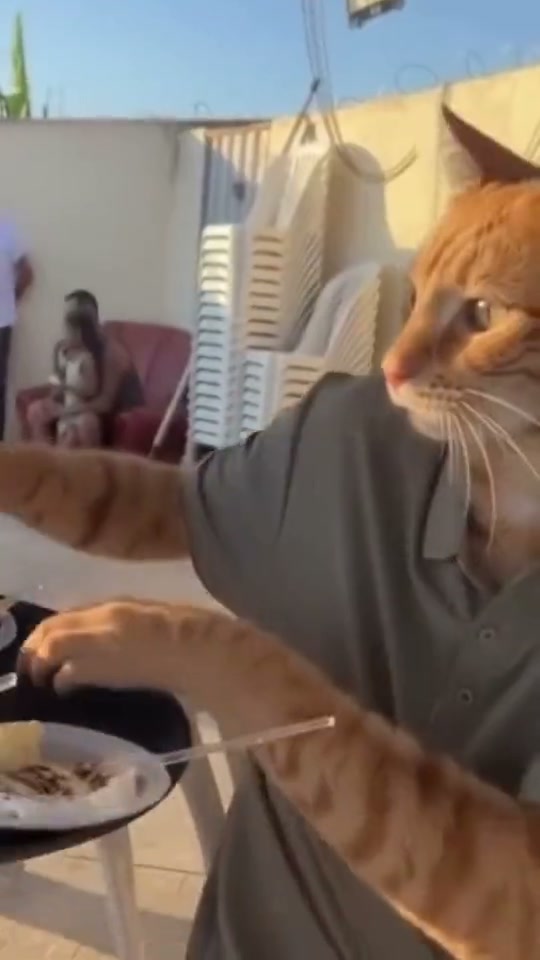
The orange cat used as the reference

The @totallynormal.ai cat sizes up a bottle beside a round wooden table, tries the kick and grabs its foot. Follow the face and bottle together to see the contrast this template recreates.

Generate video
TikTok · @aokimarke

A second orange cat tries the move

The @aokimarke clip puts an orange-and-white cat beside a bottle on a cabinet. Its determined stance gives way to the comic reaction after the attempted kick.

Generate video
TikTok · @luke_catadventure

A stacked-bottle attempt

The @luke_catadventure tabby takes on two stacked bottles on a wooden stand. The extended attempt and bottle movement make this a different version of the gag.

Generate video

Frame the bottle and the whole reaction

A wider view gives the action space

The chosen reference is wider than a portrait frame. Choose 16:9 when you want to keep the performer and bottle comfortably apart. Watch the kicking foot as it crosses the gap and make sure the final foot-holding pose still fits, rather than judging only the first frame.

Vertical needs a careful look at the edges

9:16 is available for a Reel, TikTok or Short. Moving a wide scene into a tall frame can change the composition, so check both sides of the picture. The bottle needs to remain visible, and a foot cut off at the edge can make the reaction hard to follow.

Keep the audience looking at the target

A small caption near the top is often enough for this kind of clip. Avoid placing a large sticker over the bottle or adding text across the kicking leg. Let the target, attempted kick and surprised face tell the story before you add a line about who tried it.

Save a copy before making social edits

Download the 720p MP4 you prefer before adding captions, cropping or changing the cover in another app. Keeping that copy lets you try different captions and posting formats without generating the same subject again just to adjust the presentation.

People and pets bring different kinds of humor

01

A familiar face makes the confidence funnier

For a friend’s birthday or a group-chat joke, a recognizable face can do more than an elaborate outfit. Use a recent, sharp photo and let the reference carry the physical comedy. The result is an AI performance, not footage proving that the uploaded person actually attempted the kick.

02

Pets follow an upright comic performance

The reference cat stands upright for the gag. A pet version follows that fictional performance while the instructions ask for your animal’s own face, fur, paws and tail. It does not animate a natural four-legged walk. Watch the limbs and recognizable markings as well as the facial expression.

03

Listen to the pause and the reaction

The reference has its own sound, and the model is asked to retain it. You do not upload music separately. Listen to the returned video around the kick and reaction; there is no required song for using this template, so choose any later music according to your posting platform’s rules.

04

Change appearance without changing the joke

The prepared instructions keep the room, camera and action together. If you edit them, focus on one small appearance detail. Asking for new choreography, another location and a different ending in the same request makes it harder to recreate the short contrast you watched in the reference.

Cost and visibility before you generate

  • Each request costs 100 credits

    Generating is not free: one video costs 100 credits. Watching the examples and preparing your photo do not spend generation credits. A task marked failed returns its 100 credits to your balance. Trying another version after a completed result is a new paid generation.

  • Choose where the joke will be shared

    Free accounts generate publicly. Paid access lets you choose Private and download without Kuca’s added watermark. Anyone holding a direct file link can still open it. Agree with your friend about sharing before you generate a clip that is meant to stay within a private conversation.

Check more than the cover image

  • Follow the bottle and the supporting foot

    Play the attempt through at normal speed. Look for a consistent subject, a stable table and a bottle that behaves like the reference. Check the supporting leg during the kick and the held foot afterward. A still cover cannot tell you whether objects disappear or limbs change during movement.

  • Reuse a good setup

    Generation history includes Reuse parameters, which restores your photo and settings for another attempt. Check them before submitting again. Change one useful thing, such as a sharper portrait or a less obstructed pet image, and save your favorite completed MP4 so you can compare the versions afterward.

Questions before your first bottle-kick video

Yes. Use a clear single-person photo, preferably showing the full body. The photo replaces the one performer in the reference; you do not need to record a kick or upload a second image of the bottle.


The default output is 8 seconds, based on a reference of about 7 seconds. You can choose 4–15 whole seconds. A shorter version may omit the reaction, so keep enough time for both the attempted kick and its aftermath.


No. Each generation costs 100 credits and produces a 720p video. Browsing examples and choosing your photo do not use generation credits. A task marked failed returns its 100 credits.


That is a different challenge. This reference follows an attempted kick toward a bottle and a comic sore-foot reaction. It does not supply the controlled cap-removal move.


You can try a clear photo of one dog. The model is asked to keep its face, coat, paws and tail while following the upright performance. Review the whole body in motion before sharing.


The reference supplies the room, table and bottle. Your picture provides the performer’s appearance. Choose another workflow if your main goal is to animate the exact location in your photo.


No fixed song is required. The reference includes sound and the instructions ask the model to retain it. Listen before downloading, and follow the destination platform’s music rules if you add another track.


Free-account generations are public. Paid access enables Private and downloads without Kuca’s added mark. A direct file link is still accessible to anyone who receives it.


Download the MP4 and prepare your post in the app you use. For a vertical edit, select 9:16 and check that the bottle and kicking foot remain in view. Use photos with permission and identify realistic AI edits appropriately.


Choose Reuse parameters in Generation history and review the restored settings. Another completed version is a separate request costing 100 credits. A sharper source photo is a useful change if the first face was difficult to recognize.