
Kuca.ai
Loading
No Scrubs AI
01Middle dancer
Middle dancer0/1
Add the side dancers (optional)
02Viewer-left dancer · optional
Viewer-left dancer · optional0/1
03Viewer-right dancer · optional
Viewer-right dancer · optional0/1
Aspect ratio
15s
100Credits
Remaining credits:
Public

No Scrubs AI: your trio, the silver set, the same moves

No Scrubs AI uses your photos to replace dancers in a short remix of TLC’s No Scrubs music video. On Kuca, start with the middle dancer or add two friends for the side positions. The reference beside the form supplies the silver set, camera moves, routine and sound. Each generation costs 100 credits and produces a 720p MP4.

Make your No Scrubs AI video from photos

Choose the people, not a new choreography. The reference video and instructions are already prepared.

  1. 1

    Start with the middle dancer

    Upload a clear photo in the first slot to replace the middle dancer in the white sleeveless top and gray ripped jeans. He is also the opening doorway performer and appears in overhead close-ups. One photo is enough; the side dancers stay unchanged unless you add their photos.

  2. 2

    Choose either side, or both

    Open the optional side slots to add friends. Assign each portrait to viewer left or viewer right. You can fill just one optional slot without filling the other, and an empty slot never copies your main photo.

  3. 3

    Check your output and cost

    The default output is fifteen seconds in 16:9. Choose four to fifteen whole seconds or a vertical 9:16 frame. Resolution stays at 720p. The cost remains 100 credits with one, two or three photos.

  4. 4

    Generate, then watch with sound

    Sign in and submit when your balance covers 100 credits. Generation history shows progress and the finished video. Play it through before downloading so you can check the faces, side assignments and sound together.

What the No Scrubs AI reference keeps

A music-video setting, not your living room

TLC’s No Scrubs video supplies the visual starting point: metallic walls, an illuminated doorway and a coordinated group routine. Your portrait is an identity reference, so its original room, street or garden should not become a new location in the clip.

Three people with consistent identities

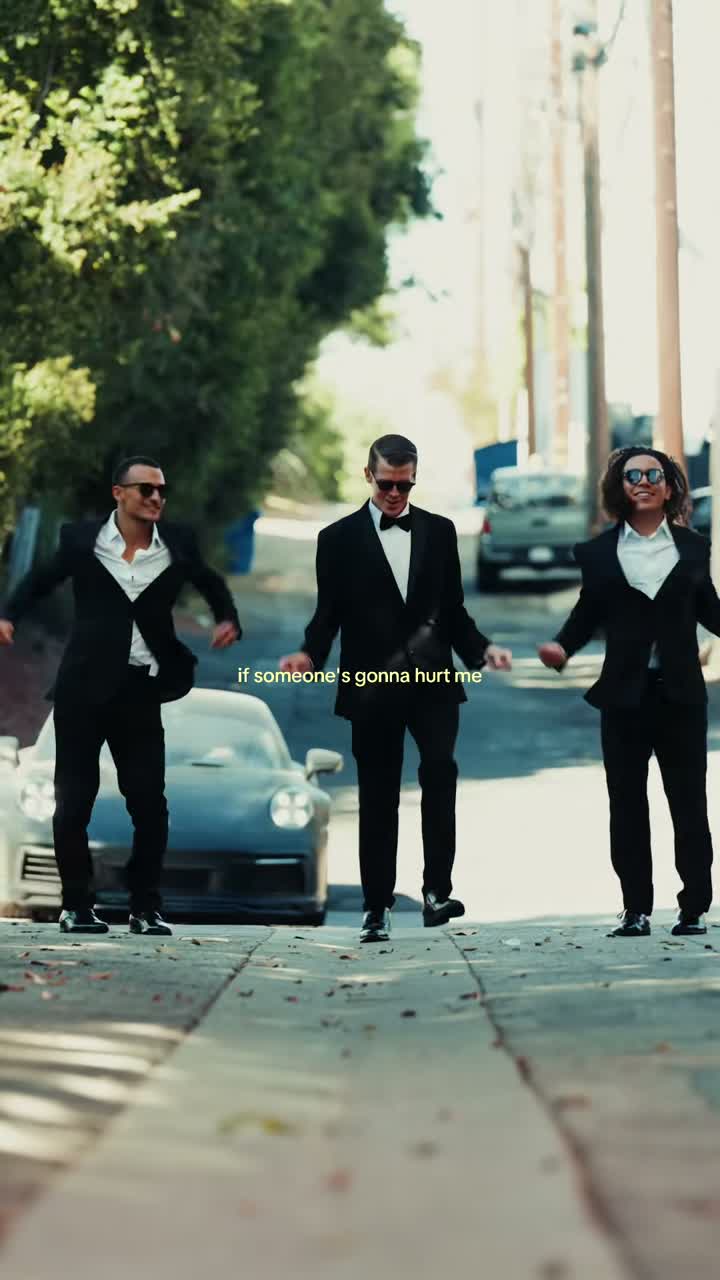
The group shot gives each photo a specific job. The white sleeveless top and gray ripped jeans identify the required middle role. The black T-shirt is on the viewer’s left, and the white T-shirt is on the right. These identities stay assigned through the doorway, overhead close-ups and solo shots.

An AI remix rather than a dance lesson

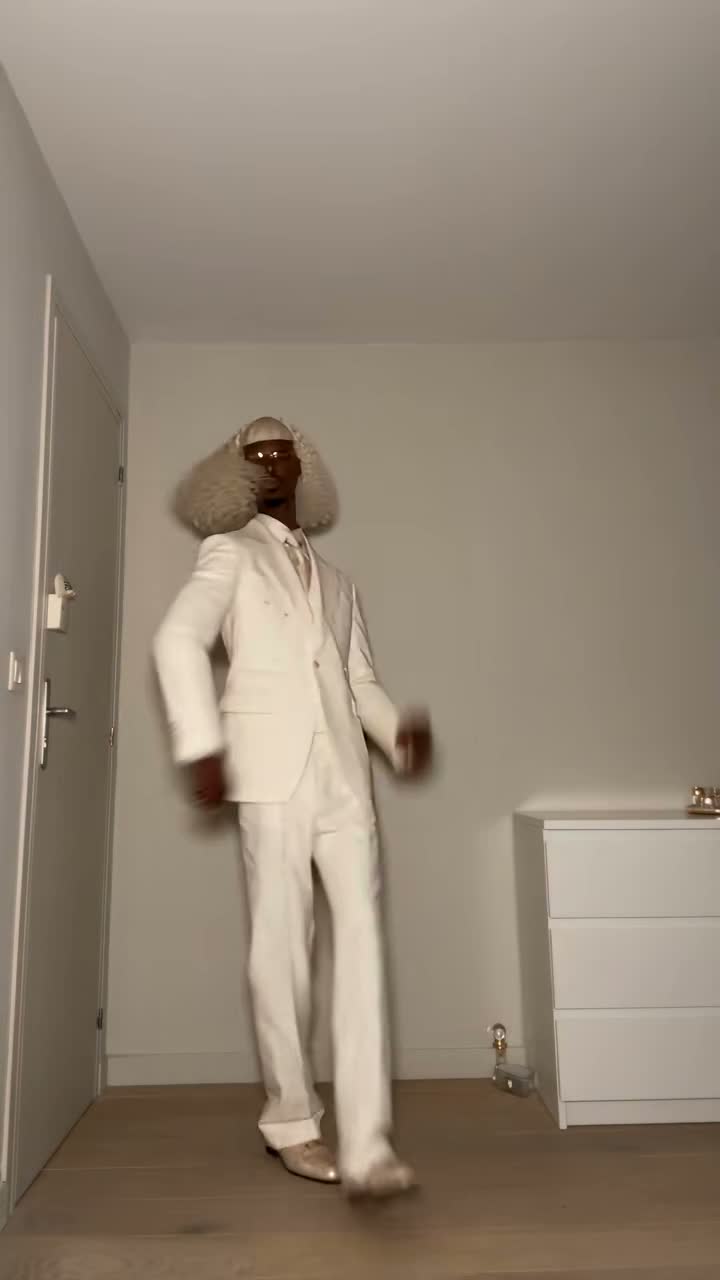
The TikTok examples below show how creators recast this familiar performance. They are reference examples, not videos produced by Kuca users. You do not need to learn the shoulder movement or record a dancing selfie to use this photo-based effect.

The same performance, a different cast

The prepared prompt asks for identity and appearance replacement while retaining the reference movement, framing and cuts. A different shirt or hairstyle comes from your photo, not a request to redesign the entire video. Generation can still introduce visible imperfections.

Choose photos that keep your trio recognizable

01

Give the model a face it can read

A recent portrait with even lighting and a visible face is more useful than a heavily filtered social avatar. Keep eyes, hair and the outline of the head in frame. Avoid screenshots with small faces buried inside interface controls or captions.

02

One subject per slot

Separate portraits make the left, middle and right assignments easier to understand. A group photo can leave the intended subject ambiguous. Crop that photo into individual images before uploading, and keep enough of each person’s head and shoulders to recognize them.

03

Clothing is part of the appearance reference

Choose a picture whose outfit you are comfortable seeing in a playful music-video remix. You do not have to wear the reference dancer’s clothing or imitate their stance. The model uses the video for movement and the photo for the assigned subject’s appearance.

04

Phone photos without an extra conversion step

JPG, PNG and WebP photos work directly, and supported HEIC/HEIF uploads are converted to JPEG by Kuca. Each photo must fit the 20 MB upload limit. Sign in before choosing files; the phone-upload option can transfer pictures from your handset.

No Scrubs AI examples from TikTok

These independent AI remixes use the silver music-video setting. The first is the actual reference used by this generator; the game-character version is an additional example, not a selectable template.

TikTok · @warped.ai

The trio used by this generator

The @warped.ai remix moves from an illuminated doorway to close-ups and a three-person routine. The required middle dancer wears a white sleeveless top and gray ripped jeans; he also appears in the doorway and overhead close-ups. Friends can replace the black-shirted dancer on the left and the white-T-shirt dancer on the right.

Generate video
TikTok · @herokobaa

A game-character version of the same idea

The @herokobaa remix recasts the music-video routine with game characters. Compare the doorway, finger gestures and group shot to see what stays recognizable even when the cast changes. This is a separate creator’s example: the Generate link returns to Kuca’s form and does not switch the fixed reference.

Generate video

Choose a frame that works for your post

Vertical for a phone-first edit

The 9:16 setting suits a vertical TikTok or Reel. Because the prepared reference is wider, a vertical generation may reframe the shot. Check that all three faces and the side dancers’ hands remain readable rather than assuming a tall output preserves every edge.

Landscape gives the trio more space

Choose 16:9 when the three-person lineup matters more than filling a phone screen. A wider frame can be easier to review on a laptop or share in a landscape edit. The underlying cast assignments and fixed 720p setting do not change.

Keep enough time for the routine

Fifteen seconds is selected initially. A shorter output is useful for a quick reaction, but four seconds cannot show everything in a longer reference. Changing duration asks the model to adapt the clip; it is not an exact trim of an already rendered file.

The same 100-credit price for every setting

Neither a shorter duration nor fewer uploaded photos reduces this effect’s fixed charge. The available aspect ratios also cost the same. Check the 100-credit amount beside the generate control before submitting, especially when trying a second version with different friends.

How the reference sound reaches your video

01

TLC’s song belongs to the reference

No Scrubs is the TLC song behind this music-video remix. The selected reference contains its own audio, and the instructions ask Wan 3.0 to retain that sound along with the performance. You do not upload an audio file separately.

02

Preservation is an instruction, not a guarantee

Kuca does not add a replacement soundtrack after this effect generates. The model is asked not to invent speech, extra music or new ambience. Listen to the result because generated audio can differ from the reference in timing, texture or clarity.

03

Compare the mouth movement and beat

Watch the group sequence with the volume on. A face may look convincing in a poster while mouth movement or rhythm feels off in motion. Check the short solo shots too, especially when more than one uploaded identity appears across the same cut.

04

Publishing uses the destination’s music rules

A downloadable MP4 does not grant rights to TLC’s recording or another creator’s likeness. If a platform restricts the audio, follow its available music and posting options. Keep the original file so you can prepare a compliant social edit without regenerating the faces.

Know the cost and visibility before you submit

  • Paid generation, free preparation

    Generating a video is not free: each request costs 100 credits. Browsing examples and arranging your photos do not use generation credits. If a task is marked failed, its 100 credits are returned. A completed result you choose to redo is a new paid request.

  • Public and private are different choices

    Free accounts generate publicly. Paid access allows the Private option and eligible downloads without Kuca’s added watermark. Private does not protect a file from someone who already has its direct URL, and removing our mark does not remove marks embedded in a reference.

Review your No Scrubs AI cast before sharing

  • Check the group and the solo shots

    Look for recognizable faces, correct side assignments and continuity between cuts. The doorway performer and overhead close-ups should use the required middle photo. Watch for duplicated people, unusual fingers or a face that blends into a neighbor during a turn.

  • Reuse the setup without losing the role mapping

    Generation history offers Reuse parameters when you want to adjust a photo or prompt. Review the restored slots before submitting again. Change one thing at a time so you can judge whether a clearer portrait or a smaller instruction improves the next result.

No Scrubs AI questions before your first video

No. Each generation costs 100 credits, with 720p output. Looking at examples and preparing photos do not spend generation credits. One photo and three photos have the same fixed price.


The first slot replaces the middle dancer in the white sleeveless top and gray ripped jeans, including his opening doorway appearance and overhead close-ups. The black-T-shirt dancer is on the viewer’s left; the white-T-shirt dancer is on the right. Each photo follows the same performer across cuts.


Yes. Fill either optional side slot and leave the other empty. The empty role stays as it appears in the reference. Your main photo is not automatically reused for both sides.


Use a separate image for each chosen dancer. Crop a group selfie into clear individual portraits before uploading. Putting several faces into a single slot makes the intended identity less clear.


The reference has audio, and the prompt asks the model to preserve it without replacement music. There is no separate soundtrack added afterward. Listen before posting because exact audio preservation is not guaranteed.


The initial duration is fifteen seconds, with a four-to-fifteen-second range. Choose 9:16 or 16:9. Resolution is fixed at 720p; there is no resolution selector for this effect.


When a task is marked failed, its 100 credits return to your balance. A finished video you do not like is not the same as a failed task. Generating another version costs another 100 credits.


You can experiment with a clear single-subject image, but this reference is a human dance. Pets and stylized characters may distort or copy human proportions. Human portraits are the more predictable choice; no pet-specific result is promised.


Free-account generations are public and downloads carry Kuca’s mark. Paid access enables Private and eligible watermark-free downloads. Direct file links can still be opened by anyone who has them, and existing source marks are not removed.


You can download it and prepare a post, subject to the platform’s rules and any music or likeness rights. Use photos with permission. Kuca does not post to your social account for you.