
Kuca.ai
Loading
Hophophop
01Photo 1 · starts in front
Photo 1 · starts in front0/1
02Photo 2 · starts at the back
Photo 2 · starts at the back0/1
Aspect ratio
8s
100Credits
Remaining credits:
Public

Hophophop: put your duo in the point-and-swap dance

Hophophop is the two-person hop hop hop routine where the person near the camera points at a partner in the back, makes them bounce and crouch, then swaps places with them on a sharp cut. Upload two photos to put your own cast into that playful exchange, with the reference clip guiding the gestures, room and timing.

How to make a Hophophop video

Give each photo a starting role. The characters change places during the clip, but their identities should stay with them.

  1. 1

    Add the person who starts in front

    Put one person or pet in Photo 1. This subject starts close to the camera, pointing toward the partner in the room. Use a clear face or a recognizable animal head, with the clothing or markings you want to keep. A group photo makes that assignment less clear.

  2. 2

    Choose the partner at the back

    Add the second subject to Photo 2. They start farther from the lens and do the first hops and crouch. A three-quarter or full-body photo helps describe their outfit and silhouette. After the cut, this subject moves forward and takes over the pointing role.

  3. 3

    Keep the swap in your instructions

    The prepared prompt follows the reference rather than asking for a generic dance. You can edit it to clarify appearance or movement, but keep the front-back exchange. Start with the default 8 seconds and 9:16 frame, or choose another supported duration and frame before submitting.

  4. 4

    Generate, watch and download

    Sign in, check the 100-credit cost and generate. Follow the task in Generation history. Once it finishes, watch both halves with sound before downloading the MP4. Reuse parameters restores the photos and settings if you want to adjust the next attempt.

Why the point, bounce and hard cut matter

One person appears to control the other

The foreground gesture sets up the joke. A finger points toward the person farther away, and a small hop makes it look as though the gesture caused the movement. It is the relationship between the two actions, rather than a difficult dance step, that makes the scene readable.

The flat palm creates a perspective gag

When the foreground hand lowers, the rear performer crouches as if being pressed down. They are separated in depth, so this should read as a harmless visual trick. The model should follow that staging without introducing a fight, an impact or a painful body transformation.

The cut reverses who is in charge

The middle cut gives the second subject a turn near the camera. A smooth walk around the room would tell a different joke. Check for a clear change of position while each subject keeps the same face, hair, outfit or animal markings as before the cut.

A fixed view makes the small movements visible

The reference uses a steady phone view of one room. Keeping that view makes the pointing hand and the distant reaction easy to connect. A camera orbit, several locations or a long introduction would spend time without adding much to this short routine.

Choose two photos with different jobs in mind

01

Give each upload one clear subject

Each slot accepts one image. Use a solo picture for each intended character instead of uploading the same crowded group twice. The slot labels define the opening roles; they do not mean that Photo 1 must remain at the front for the whole video.

02

Leave the face and body easy to read

Avoid a face hidden by a phone, dark glasses or another person. For the subject starting at the back, an image showing more of the body can provide useful proportions and clothing detail. A distant face will still occupy fewer pixels than the foreground face in the finished clip.

03

Match the look you want to see together

Photos taken in different places can work because the reference supplies the room. Similar lighting and image styles give the pair a more coherent starting point. If one image is an illustration and the other is a photograph, expect a harder style-matching task rather than automatic realism.

04

Pets should keep their own features

A pet photo can supply one of the roles, but the prompt asks for the animal’s muzzle, ears, markings and natural limbs to remain recognizable. Gestures may be adapted with paws. Watch for human hands or a human torso appearing on an animal; that is a result to correct, not the intended effect.

Watch the two roles change places

A real performance and an independently posted animated version share the same setup. The first video is also the fixed motion reference used by this template.

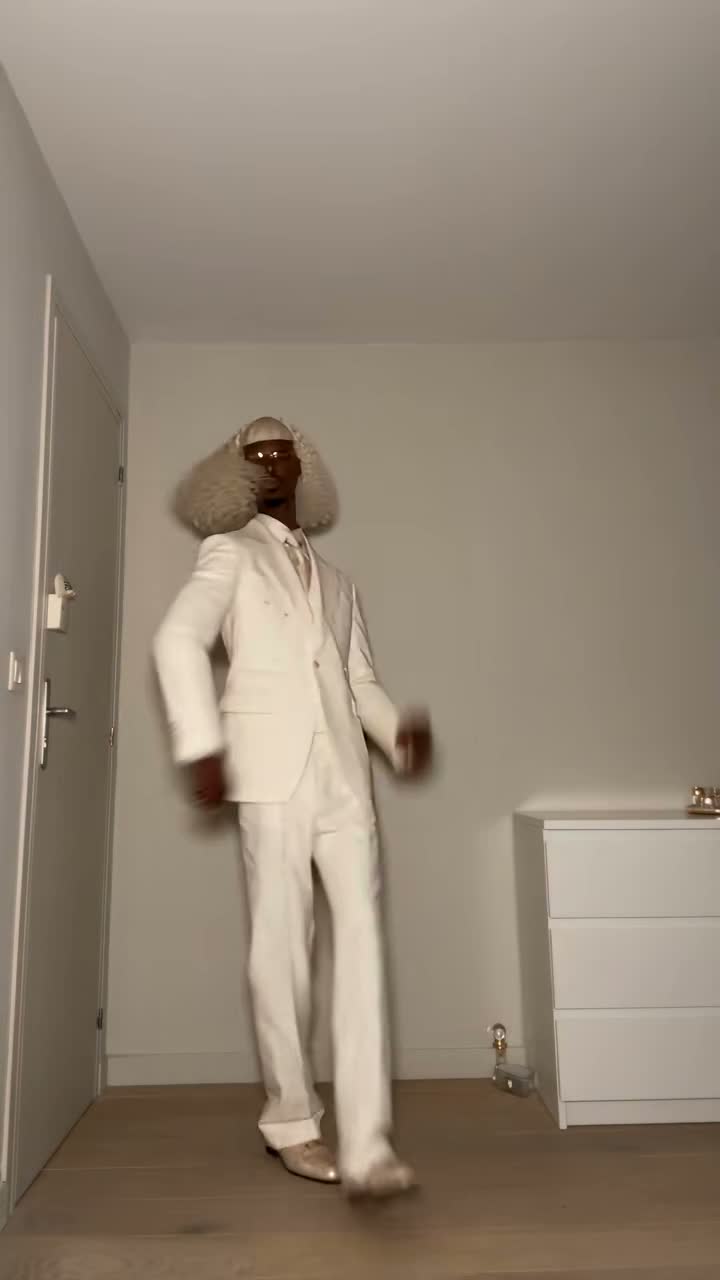
TikTok · @gabilagaba

The original room, gestures and cut

Gabi and her partner alternate between the foreground gesture and the rear bounce. Watch the flat palm, crouch and abrupt switch around the middle; those are the cues the template follows.

Generate video
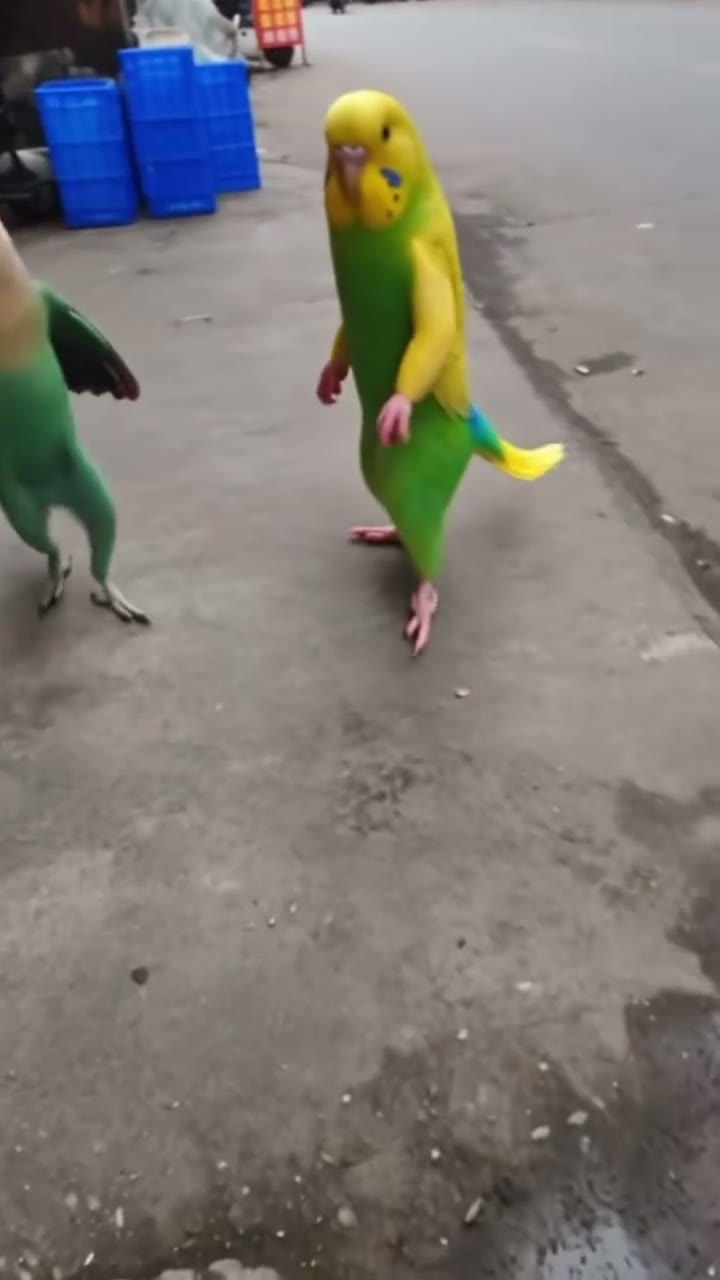
TikTok · @pouzato7

The same exchange with animated characters

A separate creator gives the pointing and crouching roles to two animated characters outdoors. Their appearance changes, while the close-up gesture and reversal remain recognizable. This is a social-media example, not a Kuca result.

Generate video

Frame the whole exchange, not just the opening pose

Portrait is the natural starting point

The default 9:16 frame leaves vertical space for a standing subject to hop and crouch. It also matches the reference’s near-and-far composition. Review the hand near the lens and the feet in the background so neither disappears at the moment that explains the joke.

Widescreen changes the space around the pair

Choose 16:9 when the clip needs to fit a horizontal edit. It gives the model a different composition task, rather than revealing extra footage from the original. Keep the same two roles and inspect the extra background for unwanted people or distracting details.

Eight seconds leaves time for both turns

The default is 8 seconds at 720p. You can select whole-second durations from 6 to 15. Very short clips have less room for the pointing, reaction and swap; longer clips should let the ending settle instead of inventing a new scene. Resolution stays at 720p on this template.

Use the downloaded file as your editing source

The completed result is an MP4 in your generation history. Check it at the size you plan to publish, especially the smaller rear face. Keep an uncropped copy if you plan to add a title or change the soundtrack in a separate editor later.

Follow the reference beat with newly generated audio

01

The reference guides timing as well as movement

The request includes the fixed reference video and asks the model to follow its rhythm and audio. This is generated audio, not a separate lossless copy of the original recording. Listen for timing changes, stray speech and sound that continues awkwardly after the final pose.

02

The song name is not the whole template

The hop hop hop hook is associated with Shluzov’s Russian-language song “Её парень”. Different uploads can use edits of that sound. This page makes the duo routine from photos; it does not search a music catalog or deliver an isolated sound-effect file.

03

Keep captions separate from the scene

The prepared instructions ask for no added dialogue, captions, logos or text overlays. That reduces the chance of unrelated writing appearing in the room, though generated results still need checking. If you want a caption, add it after choosing a clip whose movement already works.

04

Compare the original and the animated interpretation

The first example shows the real performers and supplies this template’s reference. The second comes from another creator and demonstrates the same exchange with animated characters. It illustrates how the format travels between casts; it is not presented as a video generated by Kuca.

Credits, visibility and failed tasks

  • Each generation costs 100 credits

    Choosing photos and editing the prompt do not start a paid generation. Submitting a task costs 100 credits. If the task is marked failed, the charged credits are returned. A completed clip that you dislike is different from a failed task; another attempt is a new generation.

  • Choose Public or Private before submitting

    Accounts without paid access generate in Public. Paid access allows Private and downloads without Kuca’s watermark. Choose visibility before you generate. Private keeps the clip out of public listings; anyone with a direct media link can still view it without signing in. Keep private source photos out of anything you plan to share publicly.

Review both characters before you share

  • Follow one identity across the cut

    Watch Photo 1’s subject at the front, then find the same subject at the back after the swap. Repeat for Photo 2. Compare faces, hair, clothes and markings instead of judging only the first frame. Look especially for faces blending during the transition or a hand pointing toward the wrong person.

  • Change one instruction at a time

    Reuse parameters brings back the inputs and settings. If identities are clear but the action is weak, refine the movement without replacing both photos at once. If the hop works but the face drifts, improve that subject’s photo or preservation instructions. Keeping the successful parts makes comparisons more useful.

Questions about making your duo video

Photo 1 supplies the foreground subject at the opening. Photo 2 starts farther back and does the first hops and crouch. Around the middle, they exchange positions. The uploaded identity should travel with its subject rather than staying attached to one screen position.


Yes. Add one image to each labeled slot, with one intended subject in each image. This template uses both roles. It does not fill an empty slot with a stranger or automatically choose two people from a group picture.


You can put the same solo photo in both slots to request two versions of that subject. Keep the front and back instructions intact so the two copies still take separate turns. Similar appearances can make them harder to tell apart, so watch the cut closely.


Start with clearer solo photos and remove extra faces from the images. Keep Image 1 and Image 2 mapped to the opening front and back roles in the prompt. Then use Reuse parameters to refine the identity instructions without changing the choreography at the same time.


Yes, the prompt includes instructions for animal features and natural limbs. Use a clear pet photo with recognizable markings. Motion and proportions can vary more than with human subjects, so check the muzzle, paws and body through both halves before sharing.


The generation request uses the reference video and asks for matching rhythm and audio, but it does not copy a separate original soundtrack onto the output. Listen to the result. If you need a particular platform sound, choose it in that platform’s editor when preparing your post.


The starting settings are 8 seconds, 9:16 and 720p. Whole-second durations from 6 to 15 and a 16:9 frame are available. Shorter requests have less time for both turns, so the default is a useful first test of the complete exchange.


A submission costs 100 credits. When its task reaches the failed state, those credits are returned. A completed result with imperfect movement is still a completed generation; requesting a new variation starts another paid task.