
Kuca.ai
Loading
Charme Dance AI
01Photo of one person or pet
Photo of one person or pet0/1
Aspect ratio
12s
100Credits
Remaining credits:
Public

Charme: your photo joins the dance

Charme is a Rio dance and party tradition; this AI template puts your photo in the lead dancer’s place in the night-time crowd clip shown here. Upload one person or pet, keep the prepared Prompt and generate a 720p MP4 for 100 credits. The fixed reference guides the steps, camera and audio, so you do not need to film yourself dancing.

Make your Charme dance video from one photo

The reference and instructions are already in the tool. Watch the dancer before you upload so you know exactly which performance your photo will join.

  1. 1

    Pick the subject you want to replace the lead

    Use a sharp photo of one person, cat or dog. For a person, visible eyes, hair and some of the outfit are helpful. A group shot is not an instruction to replace the whole crowd: crop the subject you want before uploading.

  2. 2

    Keep the prepared dance instructions

    The Prompt starts collapsed. Open Edit to inspect or adjust it, or keep the prepared instructions. Your photo replaces the main foreground dancer in the original crowd-dance clip. The dancer in the white tank top and the surrounding crowd keep their original roles.

  3. 3

    Choose the frame and seconds

    The initial choice is twelve seconds in 9:16. You can request four to fifteen whole seconds or select 16:9 instead. Output stays at 720p, and every setting costs 100 credits. Sign in and check visibility before submitting.

  4. 4

    Review the finished MP4 with sound

    Follow the request in Generation history. Once it finishes, watch the whole video, not just the thumbnail. Check the subject during turns, the nearby dancers and the music timing before downloading the version you want to share.

What the Charme AI template changes in the party

You replace one dancer, not the crowd

Zenegão posted the original dance at Pedra do Sal in Rio de Janeiro in August 2026. On October 16, @seuzerj shared an AI remake starring Seu Zé, a fictional white-haired grandpa, which helped popularize the Baile Charme AI trend. This template uses Zenegão’s performance: your photo replaces the main dancer, while the man in the white tank top and the crowd stay in the scene. There is one upload slot and one replacement, not a second portrait for that companion.

A reference is more useful than a new scene description

Typing a long description of a Brazilian street party can produce a different location, rhythm or camera style. Here the supplied clip is the movement guide. Start with the prepared instructions if your goal is a recognizable remake, rather than adding a shot list that competes with what happens in the video.

Charme means more than an AI trend

The dance grew from Rio’s Black party culture, with R&B and soul shaping its smoother steps. Baile charme and baile funk are not interchangeable names for any crowded party. This page makes a short AI remix of a specific reference; it is not a dance class or evidence that the person in your photo attended an actual event.

Choose your own cast for the joke

A friend who would never volunteer to dance can be a funny lead, provided you have permission to use their photo. The familiar crowd and understated movement do most of the storytelling. Your subject does not need to imitate the performer’s expression in the upload, and the photo does not have to come from a party.

Photos that keep your Charme dancer recognizable

01

Show the details you want the model to retain

Choose an image with a face large enough to read and natural light across it. If clothing matters to your version, include the outfit rather than only a tightly cropped face. The instructions use the photo for appearance while taking pose and movement from the reference, so a normal portrait can be a starting point.

02

Remove competing faces before upload

A busy group photo makes it less clear who should become the lead. Crop to one intended subject and avoid mirrors with another visible face. You do not have to erase every background object, but the person should be visually separate from other people. Skip heavily blurred images and filters that hide facial structure.

03

Pets keep their own features

You can try a clear cat or dog photo. The prepared Prompt asks to keep fur, proportions and animal anatomy while adapting the reference movement, rather than attaching a pet head to the original dancer’s human body. Review paws and limbs carefully in the result. A pet remake can be playful without needing the animal to wear the original outfit.

04

Do not change everything in the first attempt

Start with one usable photo and the suggested Prompt. If the result is hard to recognize, compare the face and clothing with the image you supplied before writing additional instructions. Try one change at a time in a later request; a completed video you decide to remake is another 100-credit generation.

Three different leads in the Charme crowd

Start with Zenegão’s original dance, then compare two character remixes of the crowd scene: a school-uniform character and an action hero. Only the first clip is sent with your photo to the generator. Each source is linked below its video.

TikTok · @zenegaooficial

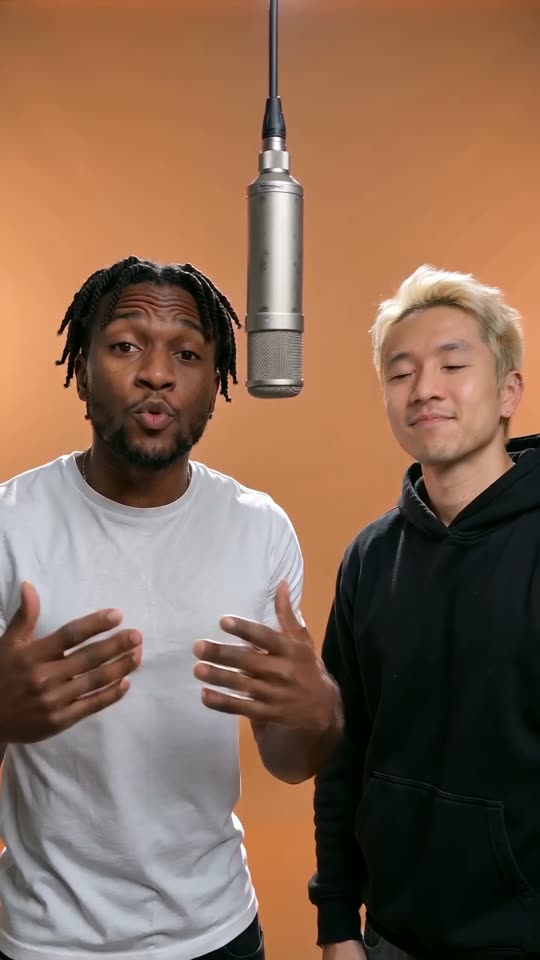
Zenegão: the original video used as your reference

The main dancer in the cap and beige vest is the person your photo replaces. This twelve-second excerpt is both the preview beside the form and the reference used to make your video. Watch the side steps, shoulder movements and interaction with the man in the white tank top. That companion and the surrounding crowd are meant to stay in the scene, with the original dance as the guide.

Generate video
TikTok · @ia.diversion

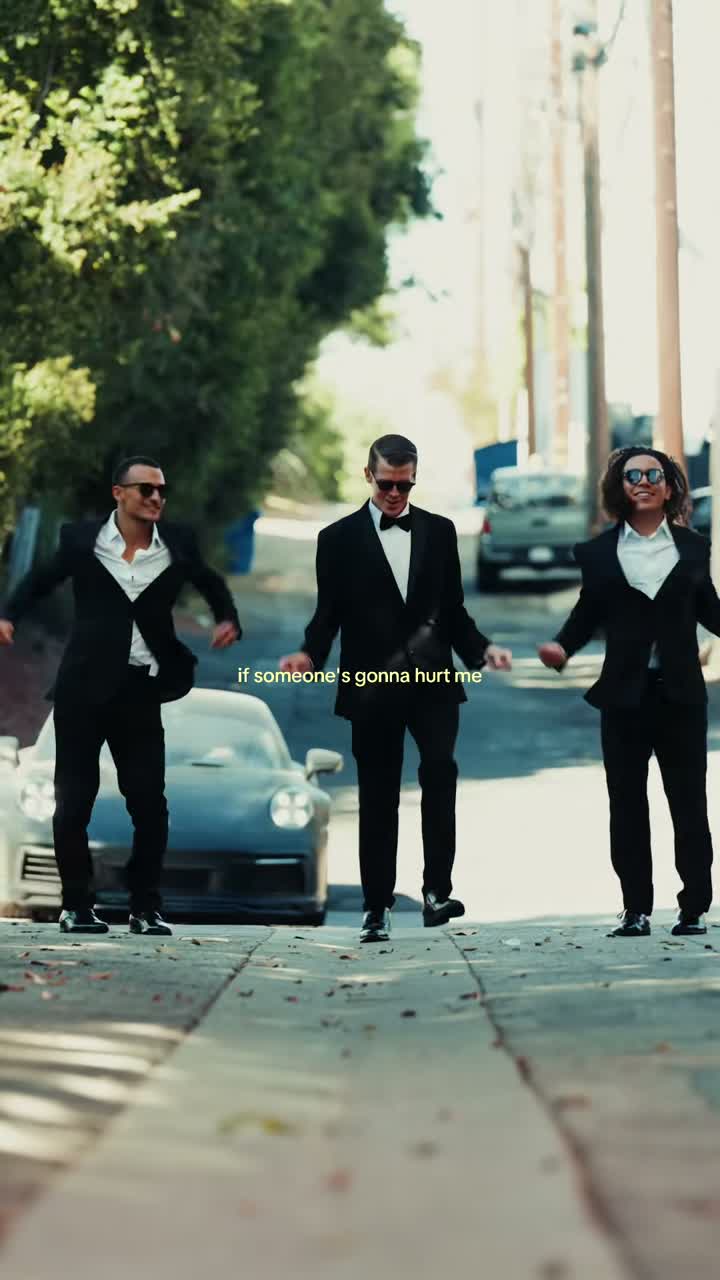
A school-uniform character takes the lead

In @ia.diversion’s remix, a school-uniform character replaces the familiar lead while the crowd and nearby dancer keep the party recognizable. Watch the shoulder movement, arms and face through the short performance. The different identity and outfit show how changing the subject can give the same dance a new personality.

Generate video
TikTok · @mesquitaoraculista

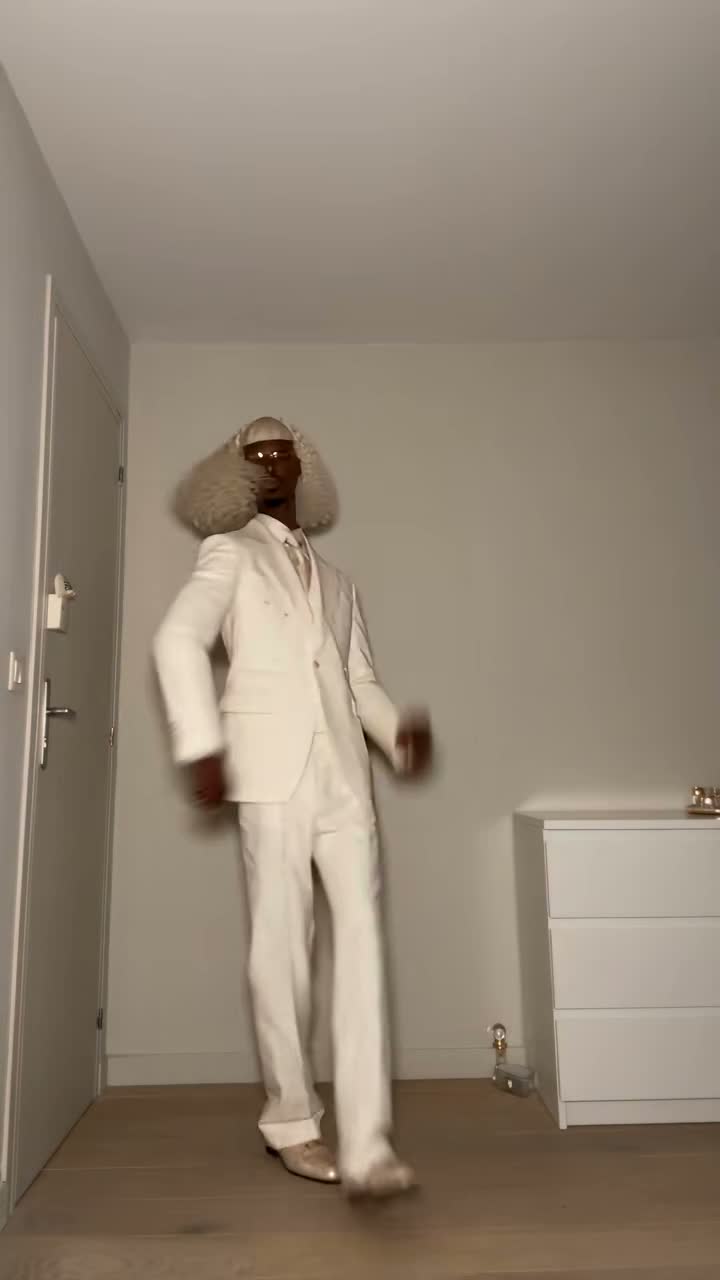
An action-hero version of the dance

This remix posted by @mesquitaoraculista uses a long-haired action character in the crowd-dance lead role. The crowd setting and small dance gestures remain familiar, but the face, hair and outfit change the effect. The excerpt keeps the original post’s Baile Charme caption and its audio.

Generate video

Choose a Charme format for your post

Vertical keeps the phone-video feel

9:16 is selected initially and suits a mobile post. The reference includes a crowd, bright lights and a phone-camera viewpoint, not a polished stage performance. After generation, check the edges as well as the lead’s face so a nearby person or moving arm does not make your subject difficult to follow.

Horizontal is an output choice, not another clip

Choose 16:9 if your project needs a wider frame. You still submit the same dance reference, not a different party or performance. Inspect the generated framing before adding the MP4 to a longer edit. Changing the ratio cannot guarantee that every background detail will fit exactly as in the vertical source.

Twelve seconds to start; four to fifteen available

The prepared reference lasts twelve seconds and the initial output matches that length. Other durations are requests to the model, not an editor for choosing any part of a longer original. A longer output does not come with extra source footage or audio. The Prompt asks not to invent or loop additional sound.

The charge does not depend on your settings

Every offered duration and both frame choices cost 100 credits. The file is a 720p MP4, generated through Wan 3.0 without a resolution selector. Choose the length that captures the dance moment you want, not a shorter one in the expectation of a lower charge. Preparing the settings does not itself start generation.

Reference sound and sharing your Charme dance

01

The sound arrives with the reference

You do not need to upload a song. The reference video already has sound, and the model will try to keep its music, rhythm and timing with the dance. Listen to the finished MP4 before downloading or sharing it to check that the sound matches the movement.

02

Listen before you download and post

Play the finished result with volume. Check whether the subject’s movements follow the beat and whether the audio remains continuous through the turns. Watching an autoplay preview on mute cannot tell you if the sound works. Use the completed MP4, rather than only the example player, for this review.

03

A caption should not hide the dance

If you add text in your social app, leave the lead’s face and movement visible. You can prepare a TikTok or Reels post from the downloaded file, but this tool does not publish to either service for you. Listen again if you add a platform track so two pieces of music do not play over one another.

04

Use the source as context, not a rights license

The example links show where the selected clips were obtained. They do not grant rights to the music, the footage or someone’s likeness. Use portraits with permission and check the rights required for your intended publication, particularly advertising. A generated remix is not proof that its subject performed at the location shown.

The 100-credit charge and who can see the result

  • Generating is paid; arranging a draft is not

    Each submitted Charme video costs 100 credits. You can view examples, arrange your photo and edit the Prompt without spending generation credits. If the task fails, the 100 credits are returned to your balance. Making another version of a completed video costs another 100 credits, even if you keep the same photo and settings.

  • Choose public or private before submission

    Free accounts generate publicly and download with a Kuca watermark. Paid access lets you select Private and download without Kuca’s added watermark. Your photo is uploaded and sent to the provider to produce the video. Private visibility does not stop someone with a direct media URL from opening the file; avoid distributing links you want to keep to yourself.

Check the full dance, then save your favorite version

  • Follow identity through movement

    Look at the lead when the face turns away and returns, not just in the opening frame. The subject should remain distinct from nearby dancers. For people, inspect hands and clothing; for pets, check the body and paws. Also watch the crowd for accidental duplicate subjects before deciding which version to share.

  • Use the shared history for another draft

    Generation history shows your submitted requests and completed videos under the same account. Reuse parameters restores the photo and settings so you can prepare another version; it does not submit by itself. Download an MP4 you like before trying a different subject, length or frame, and check the new 100-credit charge before sending again.

Charme dance AI: practical questions

Upload one clear JPG, PNG or WebP photo, up to 20 MB. It should show one intended person, cat or dog. The reference video and Prompt are already prepared. The photo supplies identity and appearance; the reference guides the dance and scene.


No. Each submitted video costs 100 credits. Viewing examples and preparing the photo do not use generation credits. The price stays the same for every available duration and both frame choices. Your account balance must cover the charge before submission.


No. This template targets only the main foreground dancer in the original Zenegão clip. The surrounding people are meant to remain unchanged. Crop a group photo to one subject rather than expecting the tool to distribute several faces around the crowd.


Yes, you can try one clear pet photo. The instructions ask for the pet’s own face, fur, body and paws, adapting the movement without adding human hands. Inspect the whole result, especially legs and turns, before sharing.


Neither is required. Your photo tells the model who should dance, and Zenegão’s reference provides the performance and sound. The model will try to preserve the original audio. Play the finished MP4 with the volume on before downloading or sharing it.


The initial settings are twelve seconds, 9:16 and 720p. You can choose four to fifteen whole seconds or 16:9; resolution remains fixed. The reference itself is twelve seconds, so a longer request does not supply more original footage.


A task confirmed as failed returns the charged 100 credits. Check Generation history for status before submitting again. Processing is not yet confirmed failure, and generating another version of a completed result costs another 100 credits.


Your photo is stored and sent to the video provider. Free accounts generate publicly and download with Kuca’s watermark. Paid access allows Private before submitting and downloads without Kuca’s added watermark. A person with a direct file URL can still open that file.


No fixed completion time is promised. The provider processes the request asynchronously, and progress appears in Generation history. Return with the same account to check it. Once a task completes, you can play and download the result.


Generation does not provide a license to source music, footage or people’s likenesses. Check permissions for your intended use and get consent for uploaded portraits. The ability to download a file is not a commercial-use clearance.