

Kling 4.0 Flash is the fast, value-focused member of the Kling 4.0 family. The official introduction emphasizes frequent creation with reliable visual quality, and lists text-to-video, first-frame image-to-video and Omni Reference. Its own specification table gives 3–20 second video, 720p output and 8-bit SDR. Match those capabilities to a concrete shot and build a repeatable creative workflow.
- Clip duration
- 3–20 s
- Output resolution
- 720p
- Dynamic range
- 8-bit SDR
What is Kling 4.0 Flash, and how does it compare with the full model?
The official introduction places Kling 4.0 Flash in a workflow where you create often, try ideas quickly and keep the cost of experimentation practical. Speed and value are its stated priorities; the useful question is whether that fits your shot, not whether the word Flash makes every production task faster. A short concept test, an opening image brought into motion or a repeatable social format can all benefit from a focused brief and a lightweight review cycle.
The full Kling 4.0 table describes a broader production tier, including longer clips and higher output resolutions. Flash has a separate table. Choose by the actual delivery requirement: motion planning and frequent iteration suit Flash, while a project that needs native 1080p or 4K calls for a model with those outputs. Keep editing, resizing and final delivery decisions separate from the model's original generation settings.
Two characters, one landscape
Official examples
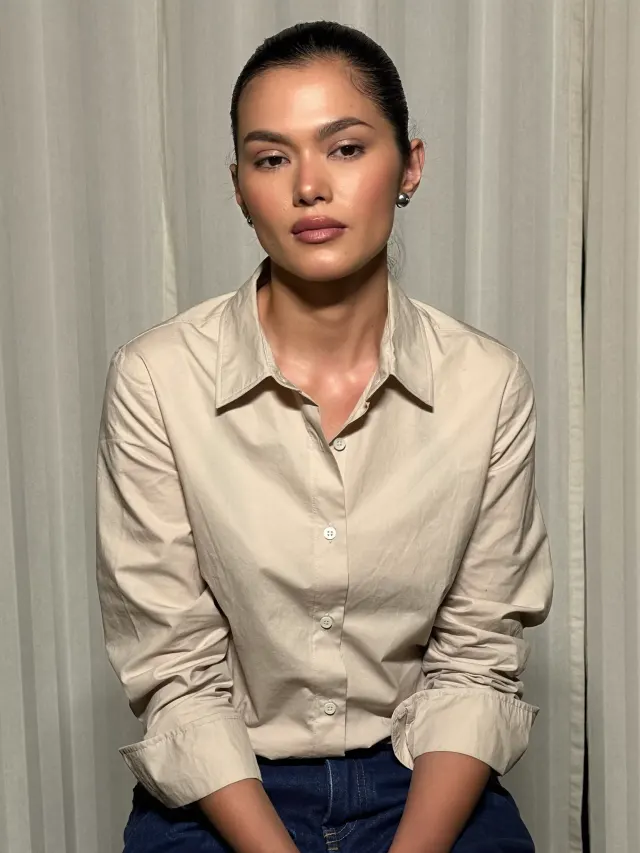
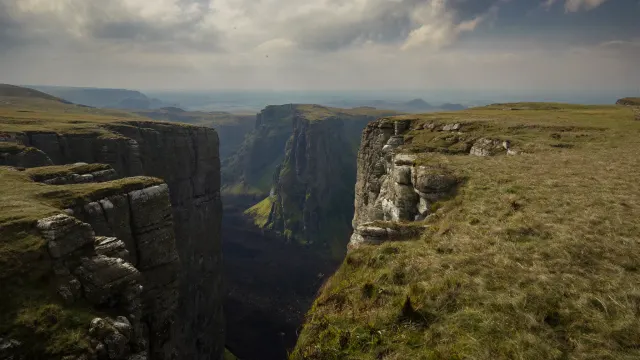
Give every Omni Reference asset a clear job
Omni Reference is listed among Flash's capabilities. A useful reference brief tells the model what to borrow from each asset: the identity of a subject, a setting, an action rhythm or a visual treatment. More references are not automatically more direction. Two images with incompatible product geometry, or a mood board that mixes daylight with neon night lighting, can leave the intended result unclear before generation even begins.
Prepare a small reference set with complementary roles and write those roles explicitly. Keep essential identity details together, then describe what may change in the new shot. The full Kling 4.0 introduction lists detailed reference limits for that broader model; use the Flash specification and the connected tool's controls when deciding what to upload. A reference should answer a concrete creative question, not be added simply because there is another empty upload slot.
Write a text-to-video prompt around one visible action
Text-to-video starts without an opening image, so the brief must establish the subject and the space before it describes movement. Name who or what is visible, where it is placed, the lighting direction and the event that changes the scene. Then add one camera instruction. Distinguish a person walking toward a still camera from a camera tracking a person; those requests produce very different compositions even when the subject does the same thing.
For example, describe a ceramic cup on a wooden table, morning light from the left, steam rising gently and a slow forward camera move that ends on the rim. This is more useful than a string of cinematic adjectives. If your idea includes three locations, multiple speakers and a product transformation, split it into separate shot briefs. Each brief should have a clear endpoint that can be cut into the next clip.
From a first frame to action
Official examples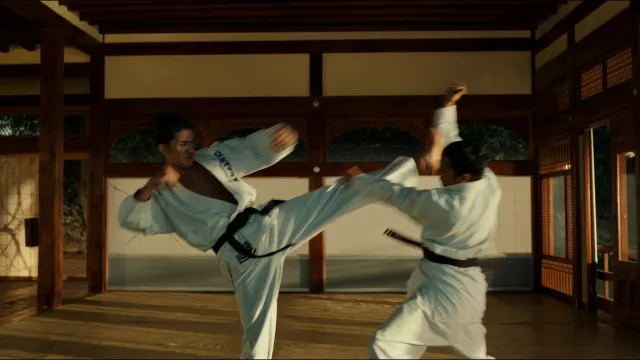
Use the first frame to anchor an image-led video
The official Flash table includes image-to-video from a first frame. Treat that image as the starting composition, not merely a style suggestion. Select a clean frame where the main subject is readable, important objects have enough room around them and the background supports the intended movement. A tightly cropped product has little space for an orbit; a subject at the edge of the image may be harder to follow through a broad camera move.
Write what happens after the opening rather than redescribing every visible detail. Specify which parts stay fixed, which parts move and where the camera ends. For a fashion shot, preserve garment shape and color while asking for a small turn and a gentle camera approach. For a landscape, separate foreground motion from distant scenery. Keep a copy of the original image so the resulting motion can be reviewed against the actual starting point.
Plan picture, dialogue and timing as separate tracks
The official Kling 4.0 introduction highlights visual realism, more expressive performances, camera control and audiovisual improvements across the family. For a Flash brief, those creative ideas are useful even when you are planning sound in a separate editing step. Describe the visible action first. Then write any dialogue, ambient sound and effects on a simple timeline so a collaborator can understand how the picture and the soundtrack should fit together.
For a product demonstration, mark when the object appears, when a hand uses it and when the closing frame holds. Keep narration short enough to fit those beats. If a speaker matters, specify the exact line and the moment it begins, rather than placing a long speech beside a brief visual event. Review voice, lip movement and background sound independently when your chosen generation or editing workflow includes them; do not let a strong picture hide an audio timing problem.
Build reusable briefs for products, stories and social clips
A reusable brief keeps the stable parts of a series constant and changes only the variable you want to test. For a product campaign, maintain the same object, materials, key light and closing composition while trying a different reveal. For a short story, preserve character identity and location logic while moving to a new action. For a social clip, define the opening beat before adding secondary atmosphere; the viewer should understand the subject without needing an explanatory paragraph.
Keep a record of the prompt, source assets and expected result for every version. Compare a camera change against a camera change, rather than changing lighting, pose and background at the same time. Once the sequence works, use your editor to arrange clips, add verified text and prepare the destination format. This workflow makes frequent creation purposeful: each new version answers a specific question instead of merely producing another unrelated video.
Review motion and delivery before expanding the project
Watch a result once at normal speed for the overall idea, then inspect it in shorter passes. Look for changes in identity, product shape, hand placement, object contact and lighting continuity. Check whether the camera moves as requested and whether the closing composition is useful for the next cut. Write down the first moment an issue appears, because that gives a more actionable revision than saying the whole clip feels wrong.
A focused second brief should correct one cause: reduce motion, simplify the interaction, improve the starting frame or clarify which subject performs the action. Judge the output at 720p and in its intended SDR context before deciding on resizing or grading. When researching a Kling 4.0 Flash API integration, separate model specifications from the provider's request format, task lifecycle and billing. On this Kuca page the model panel is a coming-soon entry, so it does not submit generation jobs or charge credits.
Using Kling 4.0 Flash
Can I generate with Kling 4.0 Flash here today?
The Kuca panel currently shows Coming soon. It presents the model without submitting a paid generation task. To create a video now, open the related Kling 3.0 page or one of the public video tools below and select an available model.
How should I prepare a first-frame image?
Use a sharp opening image with a readable subject and enough space for the intended movement. Remove unwanted text and distracting objects before you begin. In your brief, describe what changes after that frame and what should stay visually consistent.
How do I choose the length of a Flash shot?
Start from the action, not the maximum duration. Allocate time to the opening, the movement and a usable ending. The official Flash range is 3–20 seconds. Divide unrelated events into separate shots instead of forcing them into one long prompt.
What should I include in an Omni Reference brief?
Name the role of each reference and the attributes to preserve. Separate identity, scene layout and motion guidance. Use compatible assets, remove redundant material and check the upload controls of the connected model before deciding the number and type of references.
How should I compare two prompt versions?
Keep the reference assets and the main action unchanged, then adjust one variable such as camera direction or movement speed. Review the same moments in both clips and record the prompt change, so the next decision is based on a clear difference.